Welcome to Lesson 1 of the Student Vocation Cybersecurity Learning Series!
Have you ever wondered how your bank protects your money online, how social media platforms protect your account, or how businesses prevent criminals from stealing their information?
The answer involves cybersecurity.
Today, computers, smartphones, websites, online banking platforms, and digital communication systems play an important role in our everyday lives. While these technologies make life easier, they also create opportunities for cybercriminals to steal information, disrupt services, and commit fraud.
The good news is that cybersecurity is a skill you can learn, even if you are starting from zero.
In this lesson, you will discover what cybersecurity means, why it matters, the different areas of cybersecurity, common cyber threats, and simple ways to protect yourself online.
What Is Cybersecurity?
Cybersecurity is the practice of protecting computers, mobile devices, networks, applications, and digital information from unauthorized access, damage, theft, and disruption.
In simple terms, cybersecurity means keeping digital systems and information safe.
Think about your house. You may use doors, locks, security lights, and alarms to protect your belongings. Cybersecurity applies similar principles to the digital world.
For example:
- A password helps prevent unauthorized people from accessing your account.
- A firewall helps control network traffic.
- Antivirus software can detect and block many forms of malicious software.
- Encryption helps keep information unreadable to people who do not have the required decryption key.
- Multi-factor authentication adds another layer of protection to your accounts.
Cybersecurity combines technology, good practices, policies, and human awareness to reduce digital risks.
Why Is Cybersecurity Important?
Imagine that you use your phone to access your email, attend online classes, make payments, and communicate with friends. Your device may contain personal information, saved documents, photos, and access to important accounts.
Without appropriate security, that information could be exposed or misused.
Cybersecurity is important for several reasons.
- Protecting personal information
Your personal information may include your name, phone number, email address, identity documents, and private messages.
Cybersecurity practices help prevent unauthorized people from accessing this information.
- Preventing financial fraud
Criminals may attempt to steal banking credentials, impersonate trusted organizations, or trick people into authorizing fraudulent payments.
Security awareness and strong authentication can reduce these risks.
- Protecting businesses
Businesses store customer records, employee information, financial documents, and confidential company data.
A security incident can cause financial losses, interrupt operations, and damage customer trust.
- Keeping educational institutions secure
Schools, colleges, and universities depend on digital systems to manage student records, examinations, research, and communication.
Cybersecurity helps protect these systems and the people who depend on them.
- Maintaining privacy and trust
People need confidence that their digital information is handled responsibly. Good security practices help organizations and individuals maintain that confidence.
What Are the Main Areas of Cybersecurity?
Cybersecurity is a broad field with several specializations. You do not need to master all of them at once.
- Network security
Network security focuses on protecting connected computers, routers, servers, and other devices.
It includes firewalls, network monitoring, access controls, and secure network configuration.
Example: A business configures its network so that visitors cannot access the internal systems used by its employees.
- Application security
Application security focuses on protecting websites, mobile applications, and software against vulnerabilities.
Developers use secure coding practices, testing, and updates to reduce weaknesses.
Example: A web developer ensures that a registration form validates submitted information and that the server safely handles database queries.
- Information and data security
This area focuses on protecting information from unauthorized access, alteration, disclosure, or destruction.
Encryption, access permissions, backups, and data-handling policies are common safeguards.
Example: A school restricts access to student records so that only authorized staff can view them.
- Cloud security
Cloud security protects information, applications, and services hosted on cloud platforms.
It includes identity management, secure configuration, monitoring, and appropriate data protection.
Example: A company configures its cloud storage so that confidential files are not publicly accessible.
- Endpoint security
An endpoint is a device connected to a network, such as a laptop, desktop computer, smartphone, or server.
Endpoint security helps protect these devices against malware, unauthorized access, and other threats.
Example: A student installs security updates, enables device protection, and uses a screen lock on a laptop.
- Identity and access management
Identity and access management, often called IAM, concerns how users are identified and what resources they are permitted to access.
Example: A university gives a lecturer permission to manage course materials while restricting access to confidential financial records.
- Security operations and incident response
Security operations teams monitor systems for suspicious activity. Incident response involves investigating and managing security incidents.
Example: A security team investigates an unusual login, determines whether an account has been compromised, and takes steps to contain the incident.
- Ethical hacking and penetration testing
Ethical hackers assess systems for security weaknesses with proper authorization.
They document vulnerabilities and help organizations correct them before criminals exploit them.
Important: Security testing must stay within the permission and scope granted by the system owner.
What Are Common Cybersecurity Threats?
Understanding common threats helps you recognize situations that may put your information at risk.
Malware
Malware is software designed to perform harmful or unauthorized actions. Examples include ransomware, spyware, and certain types of trojans.
Malware may steal information, disrupt systems, or prevent users from accessing their files.
Phishing
Phishing is a form of deception in which criminals impersonate trusted people or organizations to persuade victims to reveal information, open harmful attachments, or visit fraudulent websites.
For example, you might receive a message claiming that your email account will be closed unless you verify your password through a link.
The message may look convincing, but the website could be controlled by a criminal.
Weak or reused passwords
A weak password may be easier to guess. Reusing one password across several websites creates another risk: if one service is compromised, other accounts using that password may also become vulnerable.
Use unique passwords and a password manager where appropriate.
Social engineering
Social engineering involves manipulating people into revealing information or performing actions that compromise security.
A criminal might pretend to be technical support or a company manager to persuade someone to disclose confidential information.
Unpatched software
Software updates often fix security vulnerabilities. When systems remain outdated, known weaknesses may remain exploitable.
Install updates from trusted sources and replace software that no longer receives security support.
Data breaches
A data breach occurs when sensitive or confidential information is accessed, disclosed, or acquired without authorization.
Breaches may result from stolen credentials, software vulnerabilities, misconfigured systems, or human error.
How Can You Protect Yourself from Cyber Threats?
You do not need to be a cybersecurity expert to begin improving your digital safety.
Follow these essential practices.
- Use strong, unique passwords. Avoid reusing the same password for multiple accounts. Consider a reputable password manager.
- Enable multi-factor authentication. Where available, use an authenticator app, security key, or another supported second factor.
- Keep your software updated. Install operating system, browser, application, and security updates from trusted sources.
- Be careful with links and attachments. Verify unexpected messages through a separate, trusted communication channel before taking action.
- Download software from trusted sources. Avoid unknown downloads, suspicious attachments, and unverified applications.
- Back up important information. Maintain backups and periodically check that you can restore your files.
- Secure your devices. Use screen locks, device encryption where supported, and built-in security features.
- Protect your Wi-Fi network. Change default router credentials, use modern Wi-Fi security settings, and keep router firmware updated.
- Limit unnecessary permissions. Applications and user accounts should have only the access they need.
- Learn to recognize scams. Be cautious when messages create urgency, demand secrecy, or request passwords and verification codes.
Remember that no single security measure provides complete protection. Effective cybersecurity uses several layers of safeguards.
What Skills Do You Need to Learn Cybersecurity?
If you want to pursue cybersecurity as a career, begin with the fundamentals.
Computer literacy
Understand how computers work, how files are stored, how applications run, and how operating systems are managed.
Networking fundamentals
Learn what IP addresses, routers, DNS, ports, and network protocols do. These concepts will become important as you study network security.
Operating systems
Become comfortable using Windows and gradually learn Linux. Many cybersecurity tools and environments rely on Linux.
Security awareness
Understand passwords, authentication, malware, phishing, encryption, permissions, and software updates.
Problem-solving
Cybersecurity professionals investigate unusual behavior, analyze evidence, identify causes, and recommend solutions.
Ethical responsibility
Respect privacy, follow applicable laws, obtain permission before testing systems, and handle information responsibly.
You can develop these skills progressively through tutorials, supervised practice, authorized laboratories, and small projects.
Can You Learn Cybersecurity Without Prior Experience?
Yes. Beginners can start with basic computer knowledge and gradually develop more advanced skills.
You do not need to learn every cybersecurity tool immediately.
A sensible learning sequence is:
- Understand computers and operating systems.
- Learn how the internet and computer networks work.
- Study common cyber threats and security principles.
- Practise securing your own devices and accounts.
- Learn basic Linux and networking commands.
- Explore security monitoring and authorized laboratory exercises.
- Build projects that demonstrate your skills.
- Research relevant certifications and entry-level career opportunities.
Consistency matters more than trying to learn everything in one day.
Practical Activity: Conduct Your First Personal Security Check
For your first cybersecurity exercise, you do not need specialized software. You will review the security of accounts and devices that you own or are authorized to manage.
Step 1: Review your important accounts
Identify important accounts, such as your primary email account and other accounts used for school or work.
Step 2: Check your authentication settings
Review whether each account uses a unique password and whether multi-factor authentication is enabled.
Do not write your passwords in your exercise notes or share them with anyone.
Step 3: Review account recovery options
Check whether your recovery email address and phone number are current and belong to you.
Step 4: Review active sessions
Where the service provides this feature, review signed-in devices and recent login activity. Follow the provider’s official instructions if anything appears unfamiliar.
Step 5: Check software updates
Review the update settings on your phone or computer and install available security updates from trusted sources.
Step 6: Record your findings
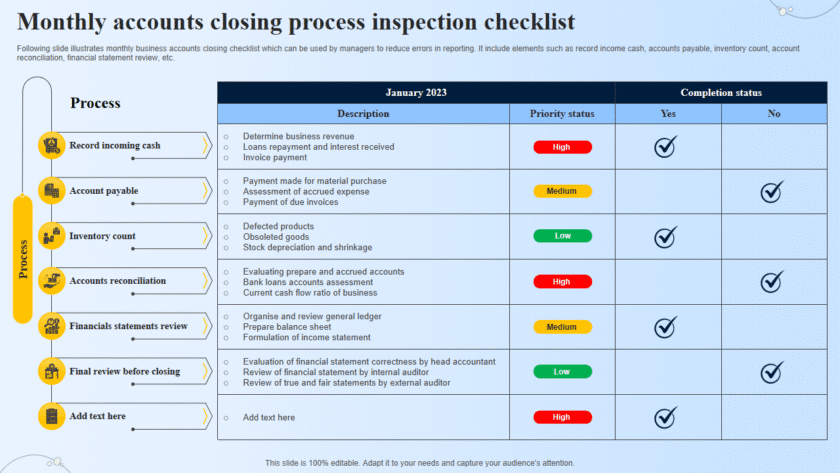
Create a simple checklist containing the following fields:
- Security area reviewed
- Current status
- Improvement needed
- Action taken
Expected result: You should finish with a clearer understanding of your current security practices and a short list of improvements to make.
Do not attempt to access another person’s account or device as part of this exercise.